
|
|
ActivateCMDRIn order to download the call records (cmdr) from the exchange, the IP address of the pc where Xtools is run must be written in the Xtools Cmdr client IP address text box on the CMDR settings page that opens when Ethernet / CMDR is clicked on the main page of the exchange, then the exchange parameters must be stored and the exchange must be restarted. 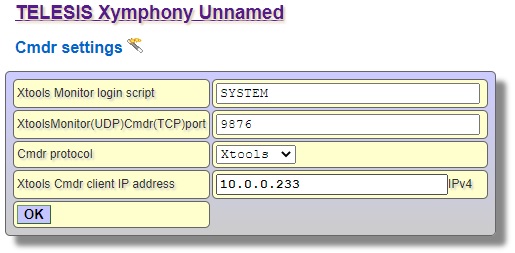 In the window that opens when Xapi.exe is clicked, type the ip address of the exchange in the New cmdr client (Xymphony ip address) text box. When the New cmdr client button is clicked, a new window will open and call records will be downloaded. 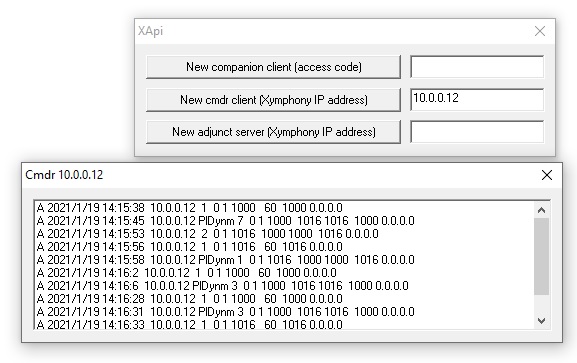 |