
|
|
Stillink3200InstallingTheFirstAndMandatorySDTModuleWhen the installation of the SGS module is completed, slide the first and mandatory SDT module into the Slot-2 (see below).  If necessary apply a slight force in order to lock the module with the backplane connector. After being sure that the module is locked with the backplane connector, fix the module to the subrack with tightening the screws at the top and bottom in the front panel. 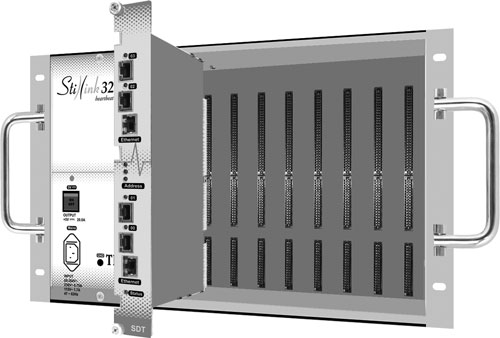 To tighten, turn the screw in clockwise until it looks firmed. Do not use an excessive power.  To loose, turn the screw in counter-clockwise.  Do not use a screwdriver to tighten the screws on the front panel.  Front view of the Stillink 3200 subrack after the mandatory SDT module is installed.  |