
|
|
XymphonyProgramming-AccessCodeListingTo list the access codes of the existing extensions and trunk lines in the exchange, follow the steps below. 1.The DispNm20.txt file is saved by clicking the right mouse button on the Display name link on the common properties page of any subscriber and clicking Save As. 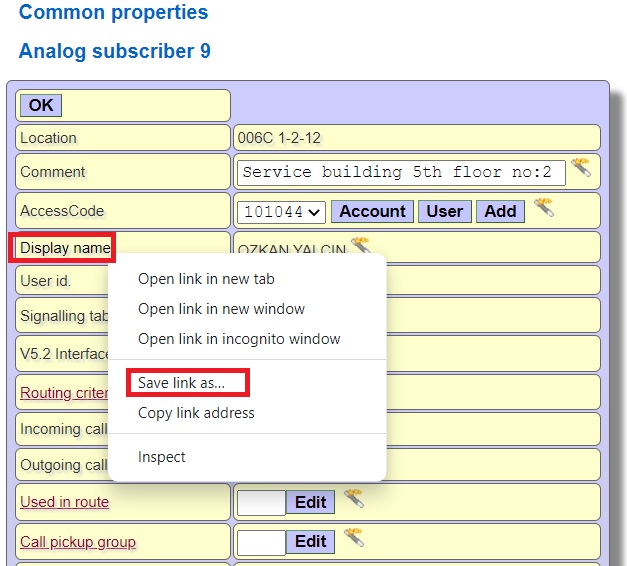 2. The DispNm20.txt file contains the access codes of all trunk lines and subscribers in the exchange, the information in the visible Display name field, the information in the comment field, the trunk text if the port is an external line, and the location at the exchange.
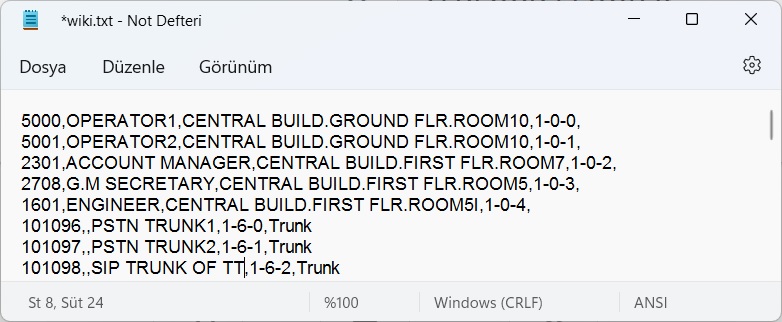 While giving subscriber access codes at the exchange, you can also enter information in the Comment and Display name text boxes. In this way, when you download the list, you can see the access codes and information about the subscribers. You can access the Comment field from the common properties page 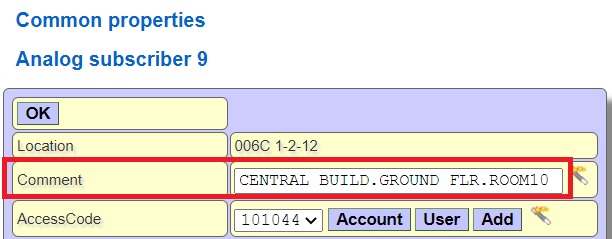 and the Display name field from the account properties page. 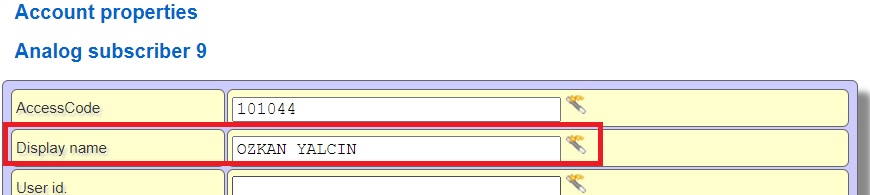 3. You can open the text file with Microsoft Excel and make various sortings (access codes from A to Z, only trunks, etc.) For this, choose Browse from Microsoft Excel, select Show all files, select text file, select Comma from Separators. |