
|
|
XymphonyProgramming-Example5TDM to Sip (or Sip to TDM) routing Incoming call from E1 interface is forwarded to sip trunk line, incoming call from sip trunk line is forwarded to E1 interface. 1. The E1 interface and sip trunk must be in a route group. So give a route number to the used in route text box in the common properties page of the sip trunk and E1 interface. Select common properties of Sip trunk 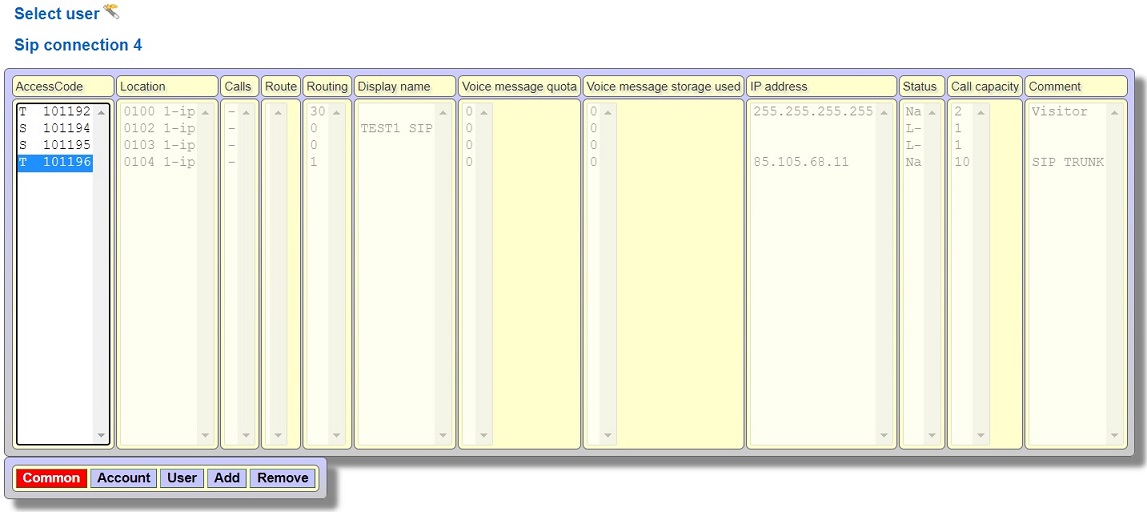 Give a route number in used in route text box (for example 10). You can see whether another port is used with the given route number by clicking the Edit button. 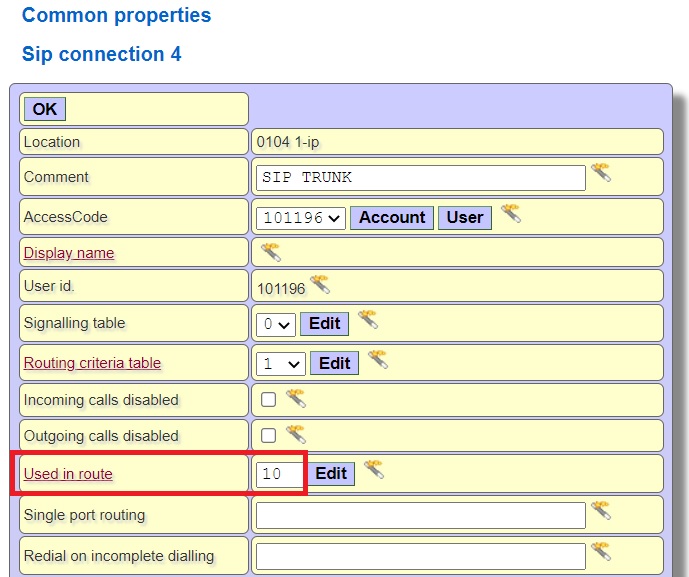 Select common properties of E1 trunk, 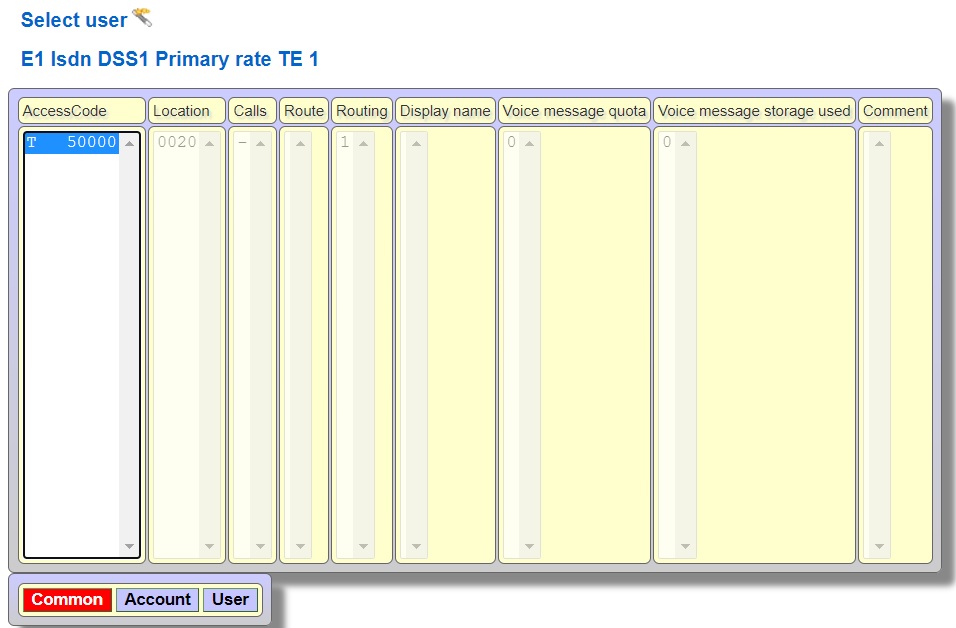 Since there are 30 channels in the E1 interface, click the channel status link to give the channels a route number. 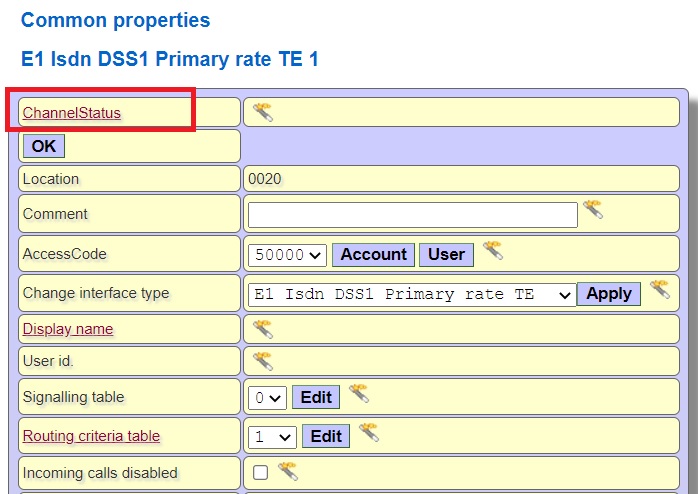 Select an E1 channel number and press Edit button 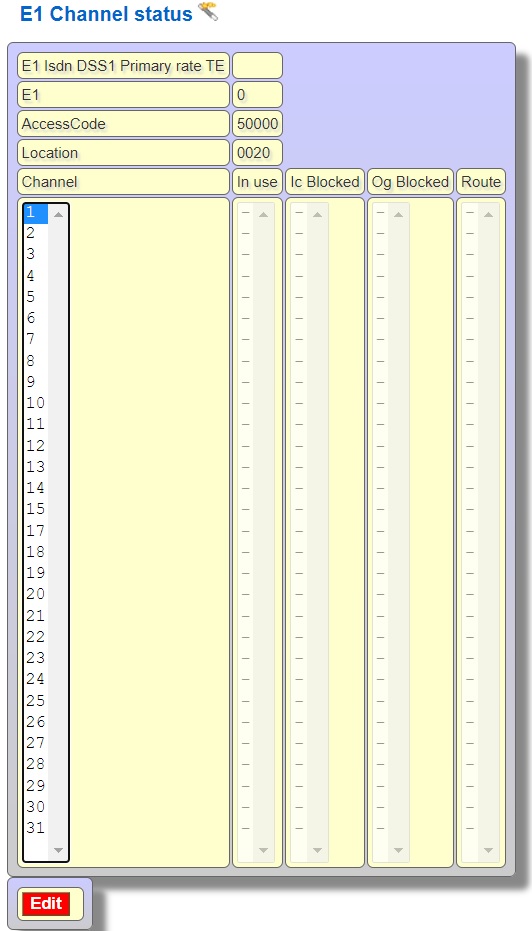 Give a route number in used in route text box. Press Apply to all channels button to give the same route number to 30 channels 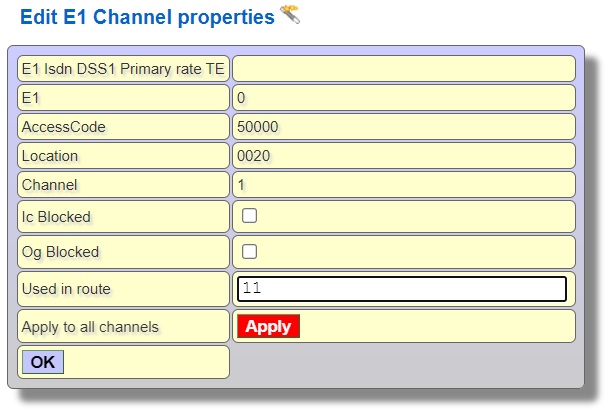 WHAT IS DONE: sip trunk line route 10 defined, E1 trunk line defined route 11 2. To define the routing criteria table for analysis according to the number dialed in the call from incoming sip trunk and E1 trunk. Select common properties of Sip trunk Select Routing criteria table for sip trunk. For example choose an empty routing criteria table 2 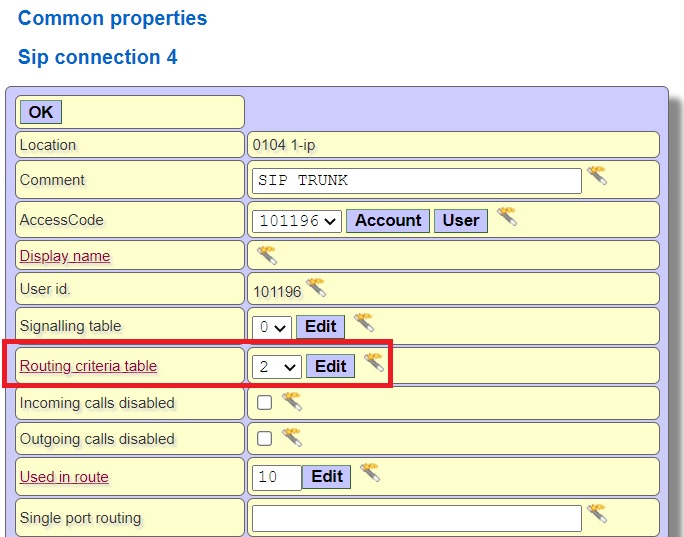 Select common properties of E1 trunk, Select Routing criteria table for E1 trunk. For example choose an empty routing criteria table 3 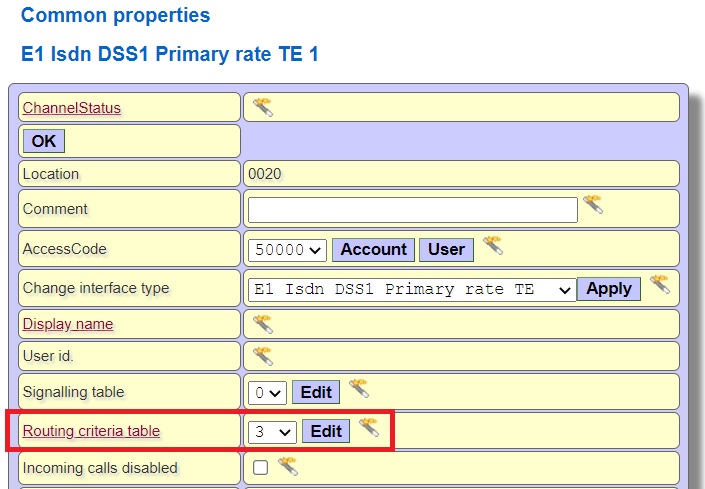 WHAT IS DONE: sip trunk line route 10, routing criteria table 2 defined, E1 trunk line defined route 11 and routing criteria table 3 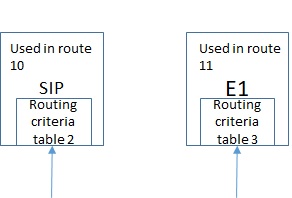 In order to forward the calls from sip trunk to e1 trunk, arrange the routing criteria table 2 used by sip trunk, Press common properties of sip trunk and click Edit button Routing criteria table 2 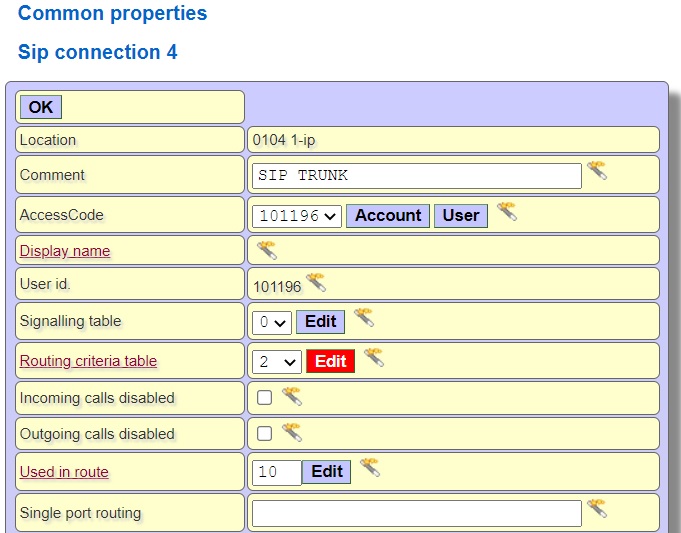 You can add a prefix number to the routing criteria table and define a law action for the number dialed from sip trunk according to the prefix number. For forwarding every number dialed from sip trunk to the E1 line, use exception row. 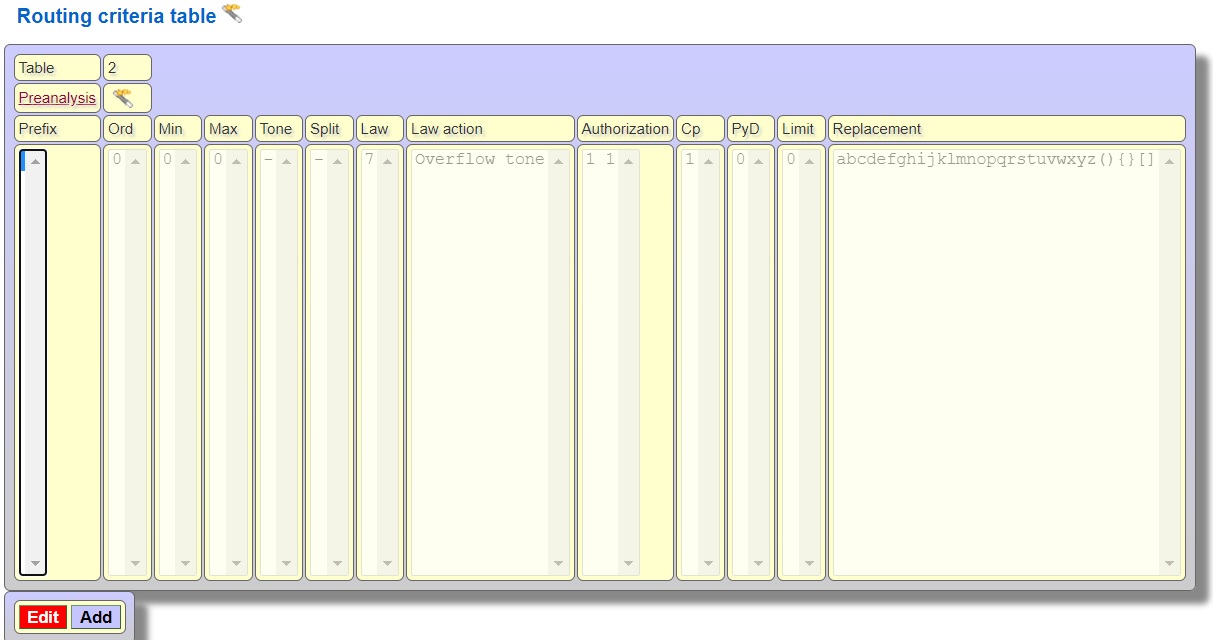 Press Unused button to give a empty law number from the Number of used law list box. 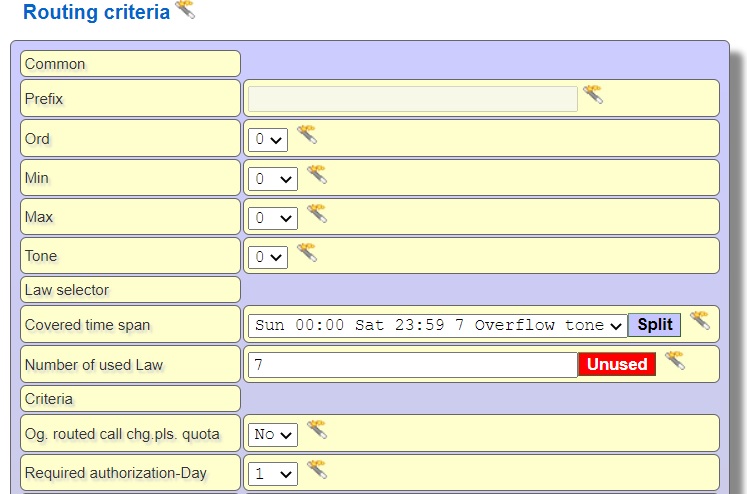 Select 1 from Required authorization-Day and Night list box, Law action must be R11 (because of E1 trunk is using route 11) and keep abcd... in replacement digits field to send to E1 trunk line without changing the dialed number 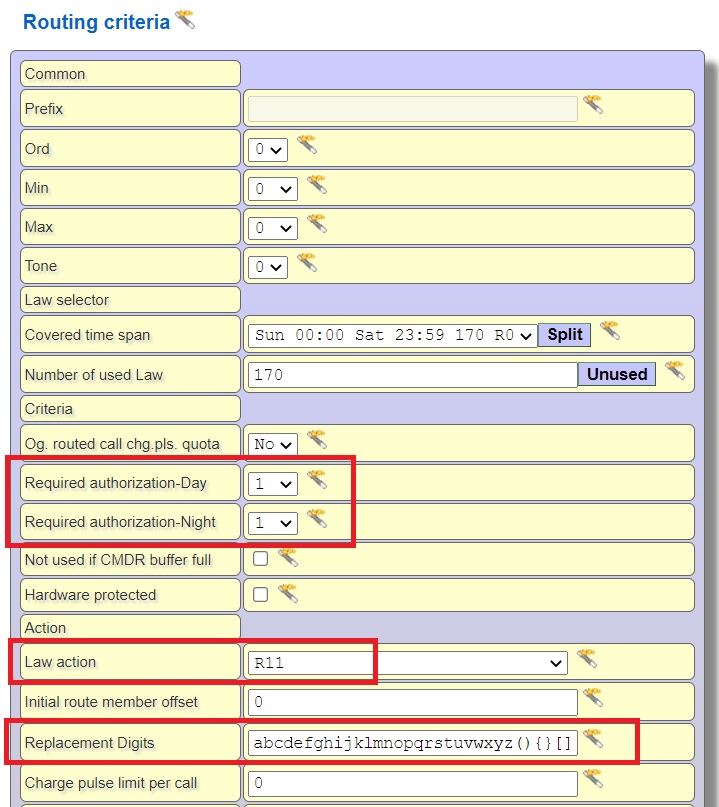 The Routing criteria table 2 used by the sip trunk should be as shown below 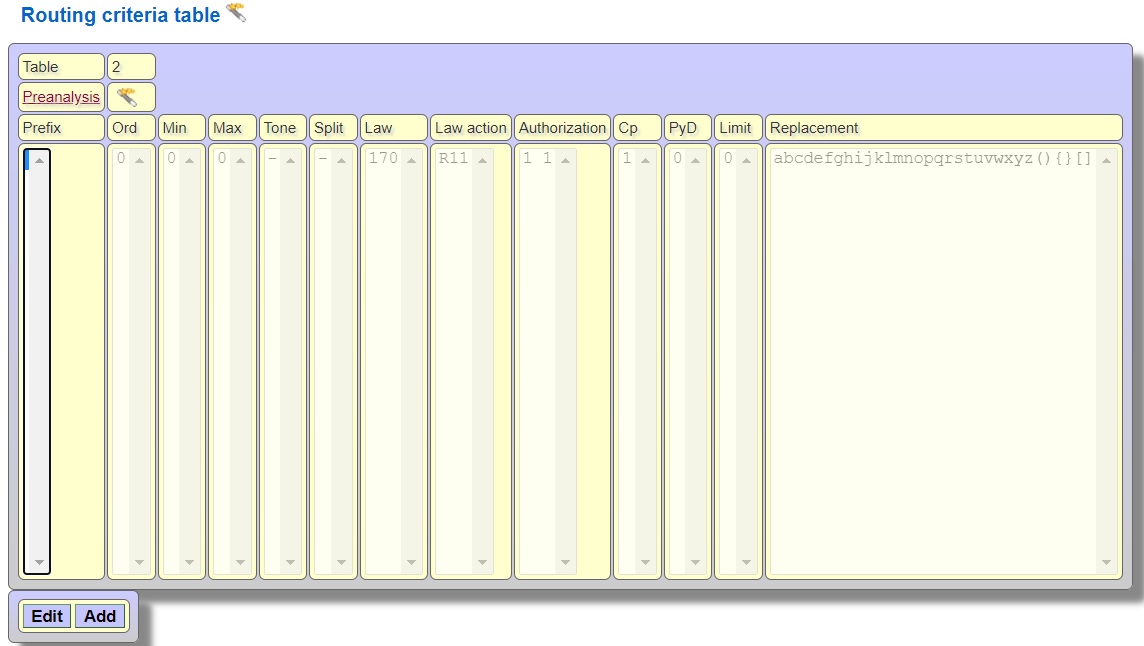 In order to forward the calls from E1 trunk to sip trunk, arrange the routing criteria table 3 used by E1 trunk, Press common properties of E1 trunk and click Edit button Routing criteria table 3 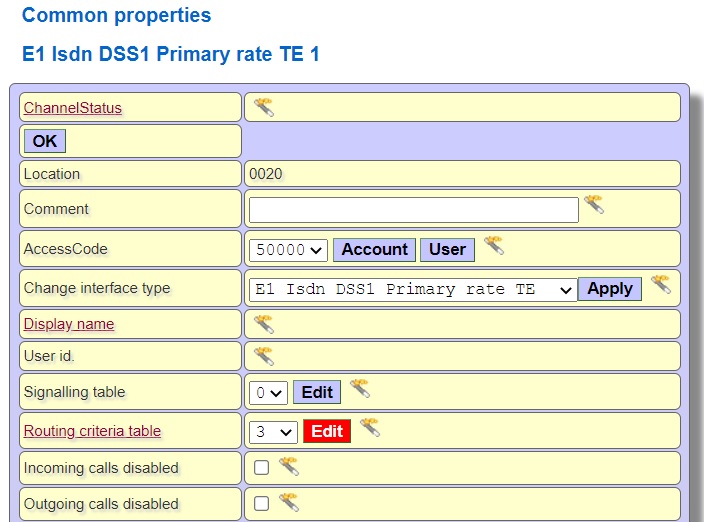 Press Unused button to give a empty law number from the Number of used law list box. Select 1 from Required authorization-Day and Night list box, Law action must be R10 (because of sip trunk is using route 10) and keep abcd... in replacement digits field to send to sip trunk line without changing the dialed number 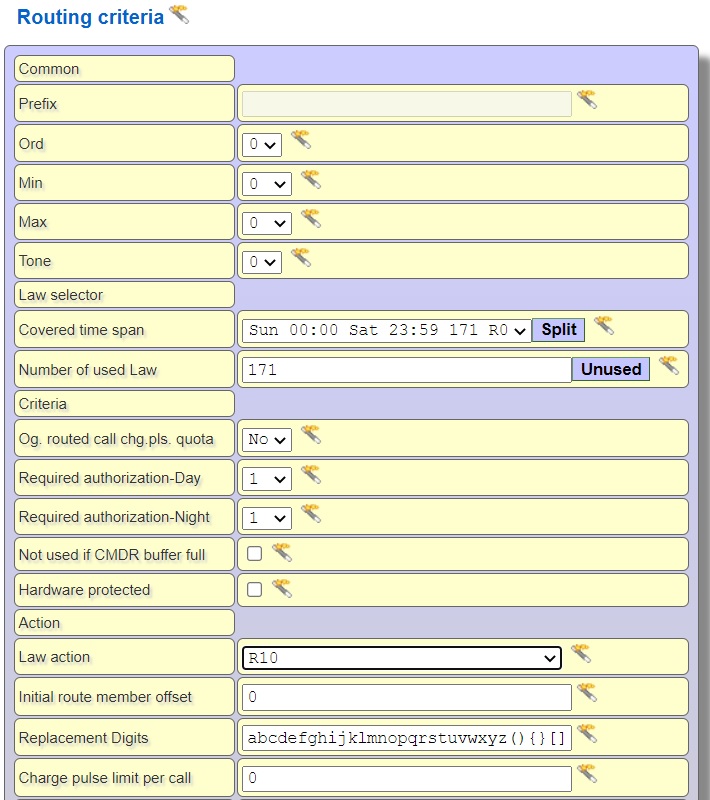 The Routing criteria table 3 used by the E1 trunk should be as shown below 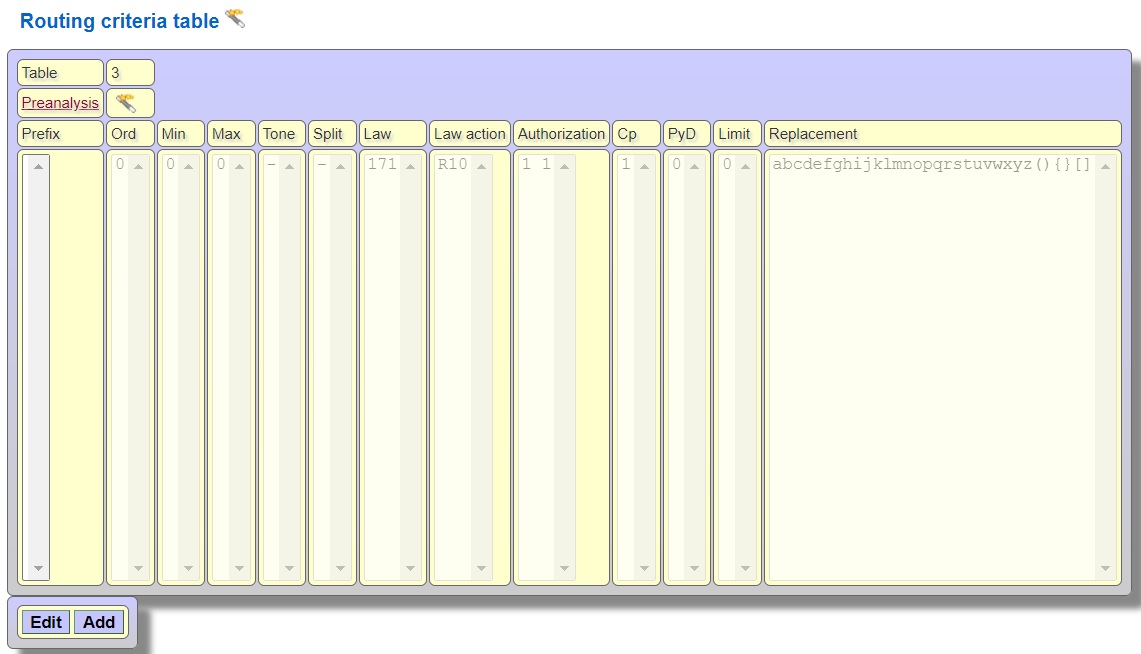 |