
|
|
XymphonyProgramming-HTTPSProtocolThe Xymphony uses the Http (Hyper Text Transfer Protocol) protocol when it is started at the factory settings, and no encryption is applied to the information shared between the transmitter and the server, your information that you share with an http: // website, your computer is not protected by security protocols and exposed to external threats. The Secure Hypertext Transfer Protocol protocol adds a security measure to send and receive all kinds of information between the transmitter and the server. This is the SSL / TLS (Transport Layer Security) Certificate. SSL (Secure Sockets Layer) is the process of data encryption during client communication with the server. The SSL protocol, which was used to ensure secure communication on the Internet, was developed over time and changed its name and became the name of TLS (Transport Layer Security). To use the https protocol instead of http in the Xymphony, the TLS check box should be checked on the Web Interface settings page when the Ethernet / WebServer is clicked on the home page. Enter the password to be used in the Password and Password text boxes again and press the OK button. 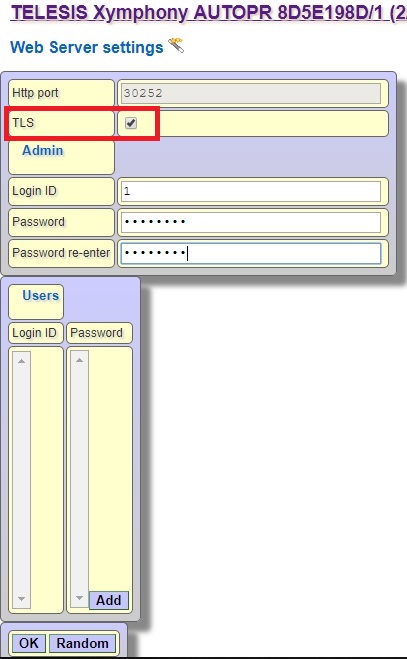 With SystemPrm / Save, store the parameter and restart the Xymphony. When you connect to the exchange again, you can type https: // ip address: port number / xp.asp in the address field of your web browser. 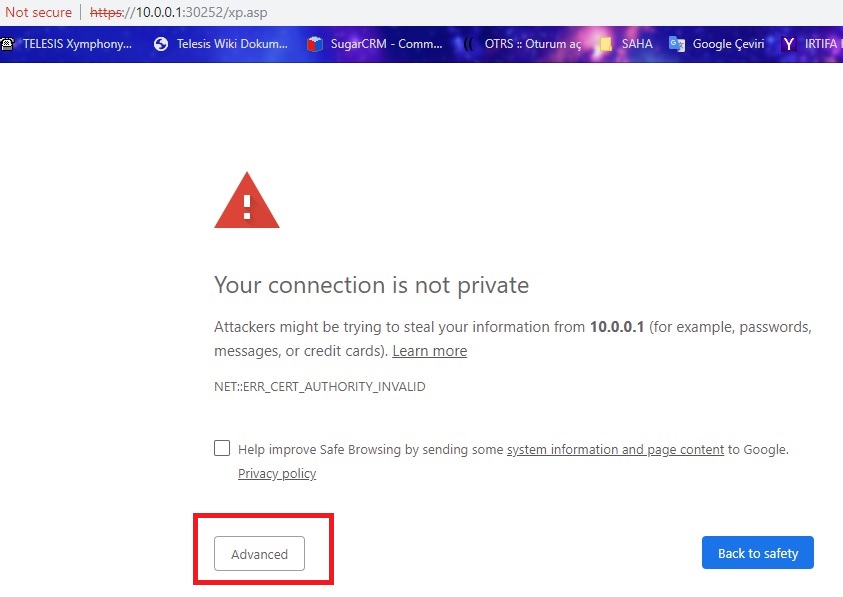 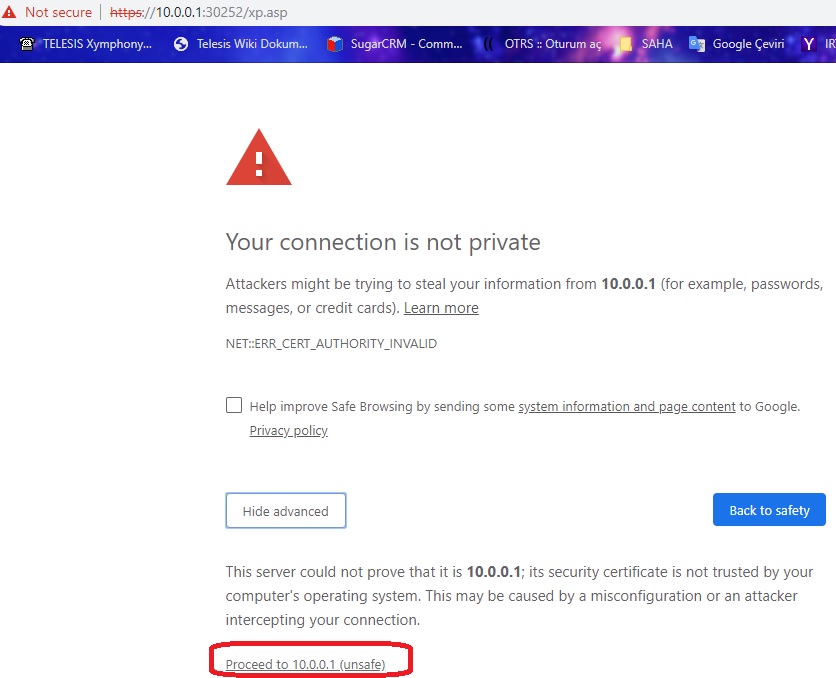 You can create and install a self-signed SSL certificate to your browser and Xymphony to prevent your browser from giving your connection to a secure connection every time you connect with https and to Xymphony. Read the explanation on the SSL certificate creation link. |