
|
|
XymphonyProgramming-ProgrammingIssuesForTheV52ProtocolConversionSetting the V5.2 protocol over E1 Assume an SS7 - V5.2 protocol conversion application with using a Stillink 800 (ordering code s80.4s4v000). To begin with, set E1-00, E1-01, E1-02, and E1-03 interfaces to CCITT signaling type no:7 ISUP and select the Digital trunks for synchronization. Adjust SS7 signaling parameters. Monitor the SS7 E1 interface (especially the one having the signaling channel D) and be sure about the communication there. Then, store the parameters into the non-volatile memories. Refer to General Topics for these programming. Then, E1-04, E1-05, E1-06, and E1-07 should be set to V5.2 LE . In this Stillink system:
However, the most frequent application is a conversion from a single V5.2 LE interface to the SS7. So as to bundle E1-04, E1-05, E1-06, and E1-07 into a single V5.2 interface, do the following: Step-1
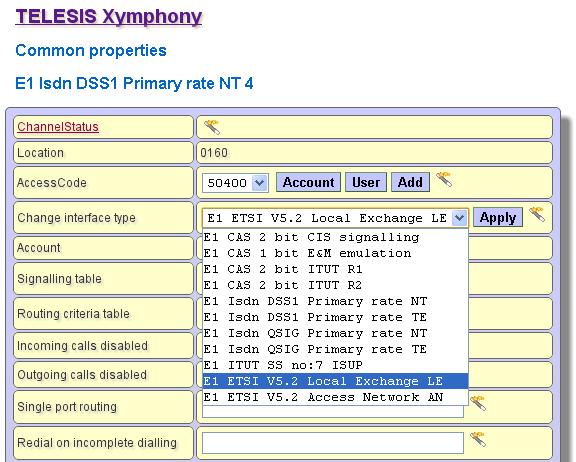
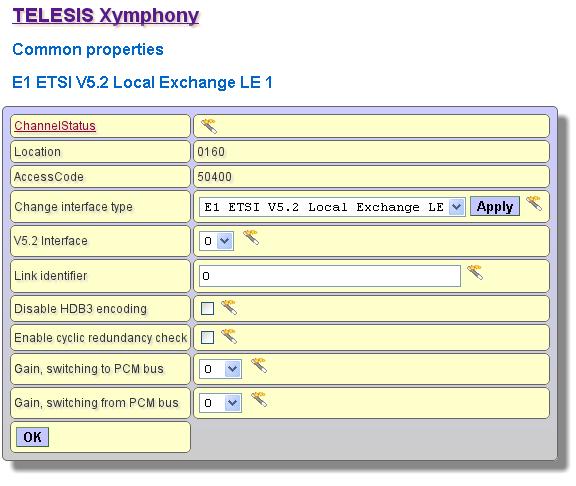
Tips For each V5.2 signaling E1, the V5.2 Interface name (shown in Common Properties page) is 0 by default. This name is only used during programming a Stillink system. This name is not used in any messages of the V5.2 protocol. In programming, the E1s sharing the same interface name are in the same V5.2 interface. In order to check, access to the Common Properties page for E1-04, E1-05, E1-06, and E1-07, see that V5.2 Interface name is set to 0 for each of them. Do not modify this number, keep it. Step-2
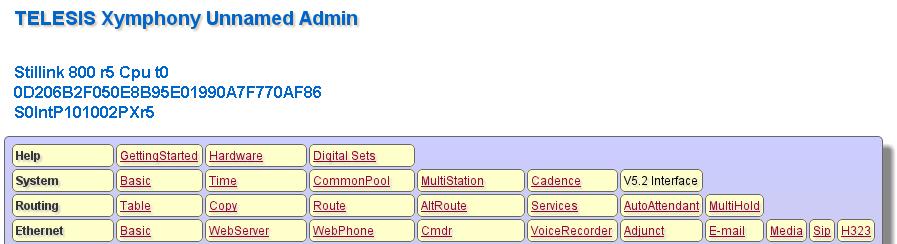
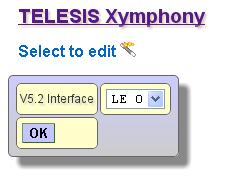
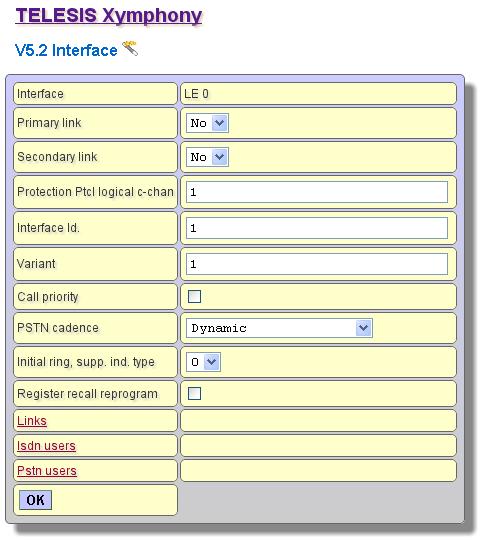 In this page, set the interface parameters in order to match similar parameters in the AN side. The adjustable parameters are:
Step-3
Adding V5.2 PSTN or BRI ISDN users After setting the V5.2 interface up and seeing the communication on the primary and secondary links, PSTN and/or BRI ISDN users can be added for the interface. Go with the above mentioned example. An SS7 - V5.2 protocol conversion application with using a Stillink 800 (ordering code s80.4s4v000). E1-00, E1-01, E1-02, and E1-03 are set to CCITT signaling type no:7 ISUP . E1-04, E1-05, E1-06, and E1-07 are bundled into the V5.2 LE 00 interface. To add a PSTN user, do the following:
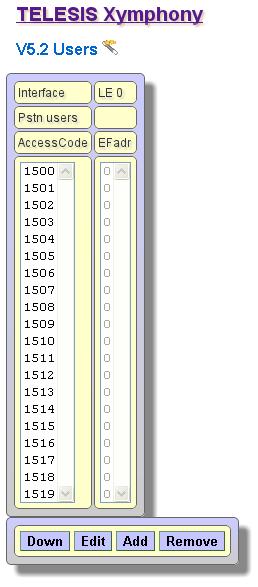 The result is several PSTN users in V5.2 Interface Users LE 00 Pstn page. In this page, for each PSTN user, there are two fields;
In order to change the port ID or EF address, select a user by marking it and then click on Edit button. 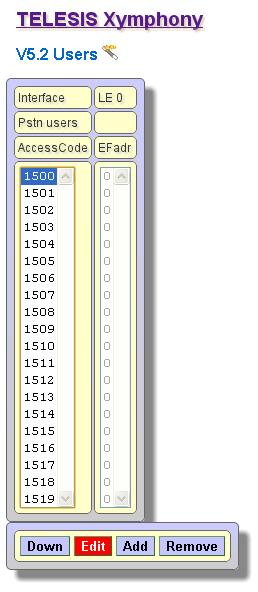 In Common properties page of the Pstn user, edit the EFadr field accordingly 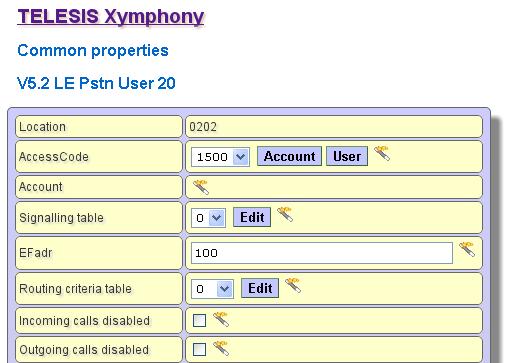
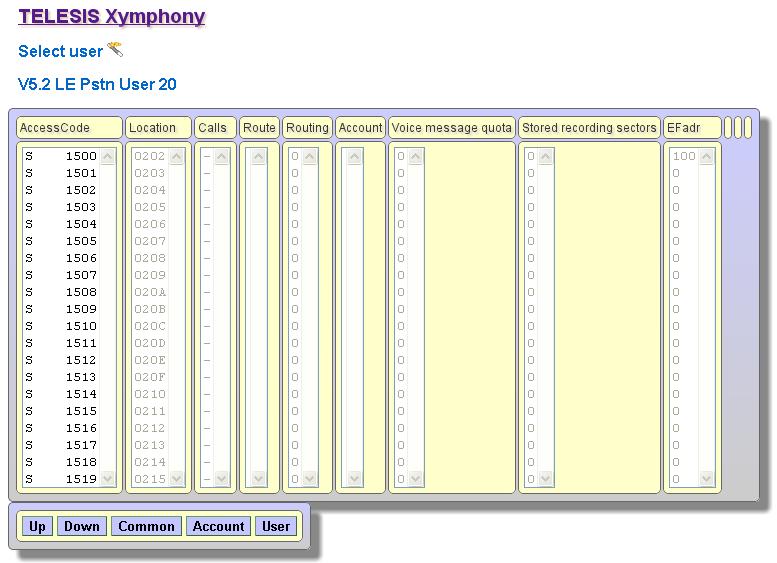
Next step is to activate the added PSTN users. This can be done by restarting the Stillink or the AN equipment, or by disconnecting and connecting again the physical E1 wire (connector) in front of the Stillink system for the primary and secondary links. Setting the routing parameters Consider the Stillink 800 programmed above. Assume that 100 PSTN users have been defined in this Stillink. The PSTN user access codes are from 1500 to 1599, and these access codes have the Port Ids (EF addresses) programmed according to the connected AN. Assume EF addresses from 100 to 199 in sequence. Let the requirement to be the following:
Do this programming as follows: Step-1 Program all SS7 interfaces (E1-00, E1-01, E1-02, E1-03) such that
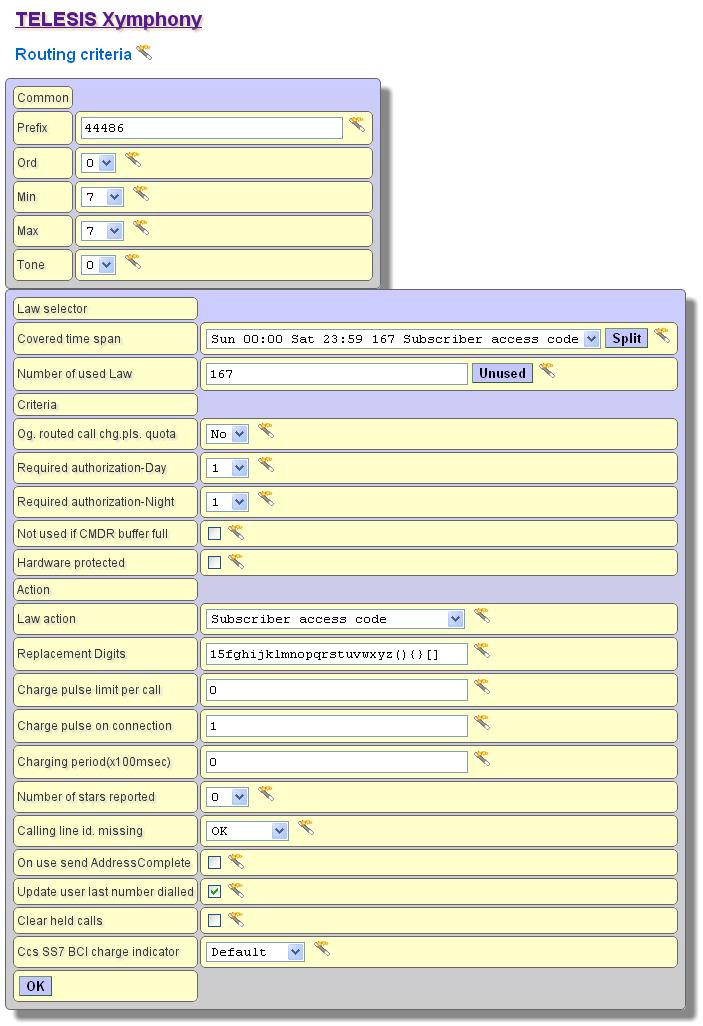 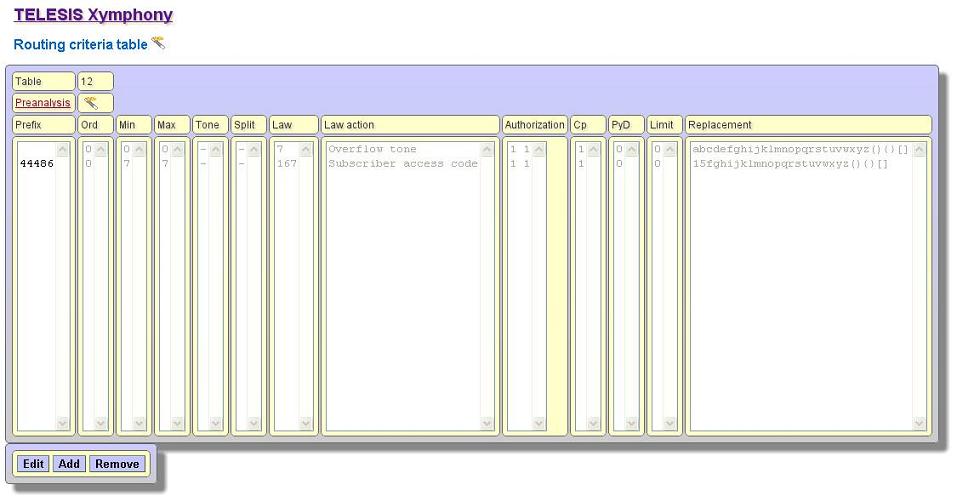 WHAT IS DONE for Routing criteria table 10? If any call with the called party address number like 44486XX is received from the SS7 network, this call will be routed to the Subscriber access code with some digit replacement such that:
Step-2 Program the routing table of the V5.2 PSTN users. Do the following:
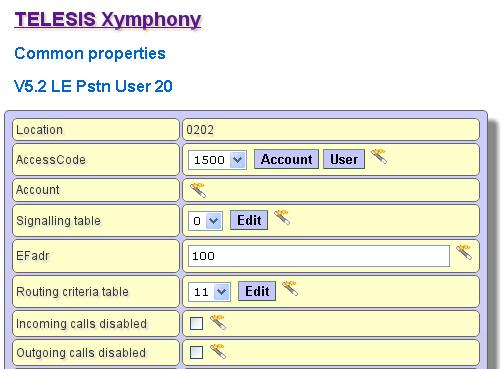
Tips After selecting the Routing table 11 for the access code 1500, this parameter can be copied onto the other access codes (1501 to 1599) with a simple command. This will make the programming easy and short. To do this select Copy-Users item in Homepage.  Copy page is displayed. In this page, select 1500 as the Source and 1501 to 1599 as the Destination and then click on OK button. 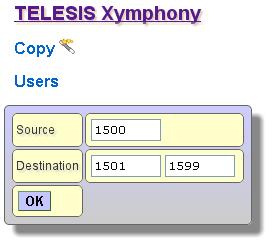 It is possible to adjust several parameters of the V5.2 users such as CLIP, Charge Pulse, and Credit. Some of these parameter adjustments can be done in Common properties, but most of these can be done in User properties pages. Both common and user properties can be accessed with using Users item in Homepage.  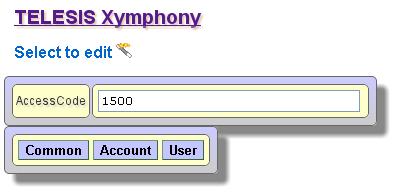 Next is to program the Routing criteria table 11 such that
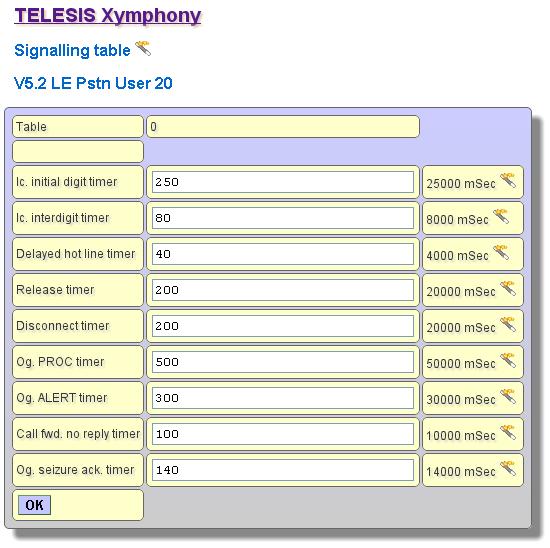
Law action as R10 (route 10) To illustrate, for the Prefix 2, the Routing criteria will look like below: 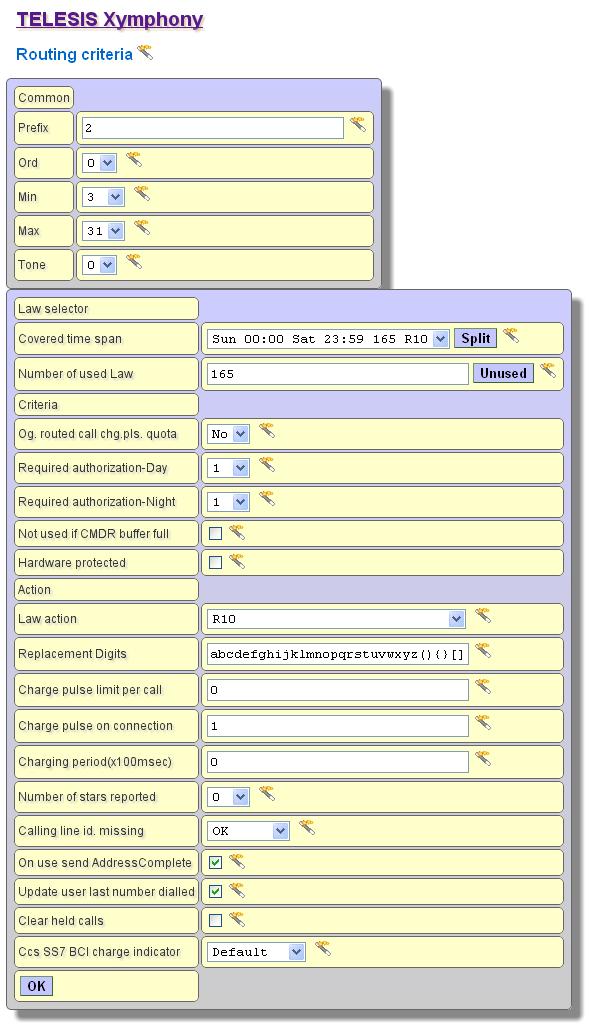 At the end of programming, the Routing criteria table 11 will look like below. 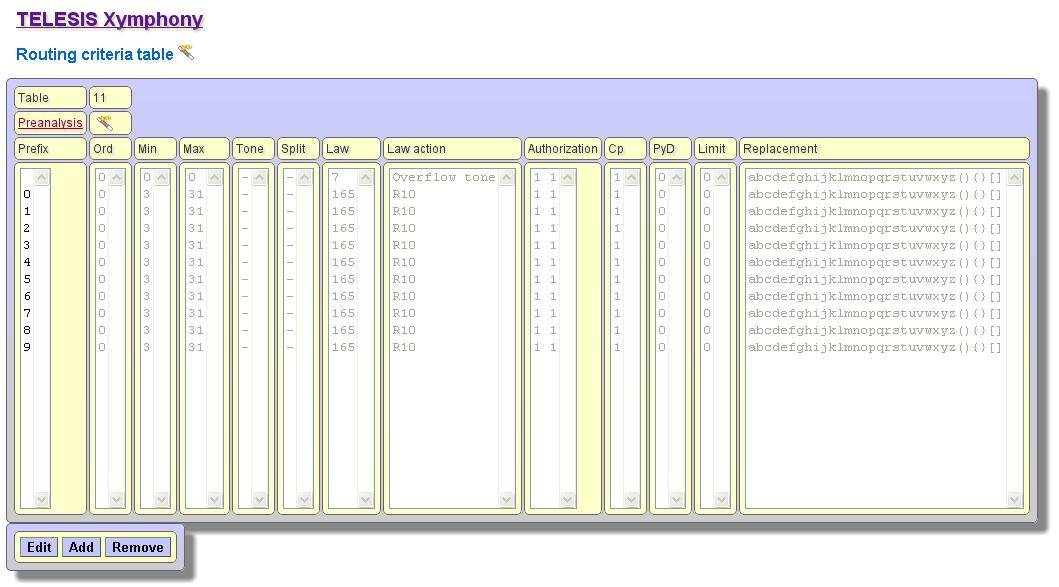 WHAT IS DONE for routing table 11? If any call with any called party address (minimum 3 digit and maximum 31 digit long) is received from a V5.2 user, this call will be routed to the Port Route 10 that is SS7 network. Remember that all SS7 signaling E1 have been in Port Route 10. Tips The Stillink will route the call of a V5.2 user immediately after the receipt of Max number of digits or the time-out occurrence. The default value of this timer is 8 seconds. This timer may be changed, however it is not recommended to make it less than 4 seconds. To change the timer, Edit the Signaling table of the V5.2 user. The Signaling table can be accessed in Common properties page. 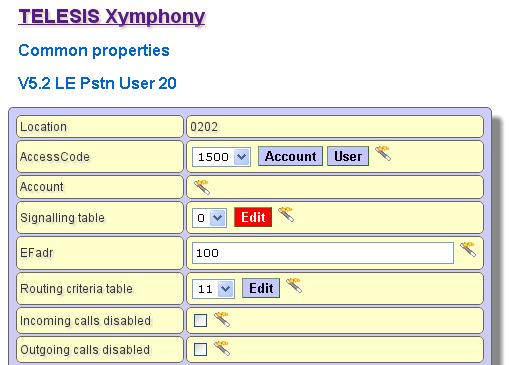
Step-3
Tips Before storing the programmed parameters, be sure that all the programming done is correct and according to the requirements. So that, it is recommended to create some test calls from SS7 network to the V5.2 LE, and vice versa. |