
|
|
ColorBlueMethod3DifferentRoutingCriteriaTableXymphony have multiple routing criteria tables. Factory settings are for subscribers to use table 0 and for trunks 1. Each routing criteria table entry has 1 Common part and at least 1 Law selector part. All fields of the common part define criteria, and they are compared with similar parameters of the call. Law selector decides which numbered law is applicable at the analysis time. Each Law has criteria and action parts. Routing analysis table is scanned after receiving each digit from the calling party. Scanning starts with the topmost entry. If all accumulated digits matches to the Prefix field of the entry, criteria fields of the applicable law are compared with the similar parameters of the call. If all the criteria fields match, that entry is marked as selected entry and analysis is completed. In case of a partial match (received digits matches the Prefix, but not enough digits received yet to say that it is a complete match), call control postpones the decision waiting for more digits to come. Sets the interdigit timer (Common properties/Signalling table/Ic.interdigit timer). If no digits received before the expiry of the timer, call is aborted. If call control can not find a suitable table entry (i.e no entry with Prefix and criteria match), exception entry is marked selected entry for the call. There are 31 routing criteria tables in Xymphony. By defining different routing criteria tables for subscribers, you can use different trunk lines and use different rules with the same prefix. To use different routing criteria table in the subscriber, select subscriber and press common properties, 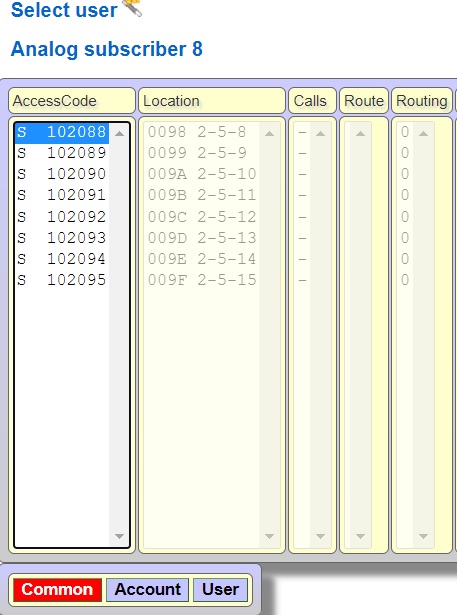 Select routing criteria table from pull down menu, 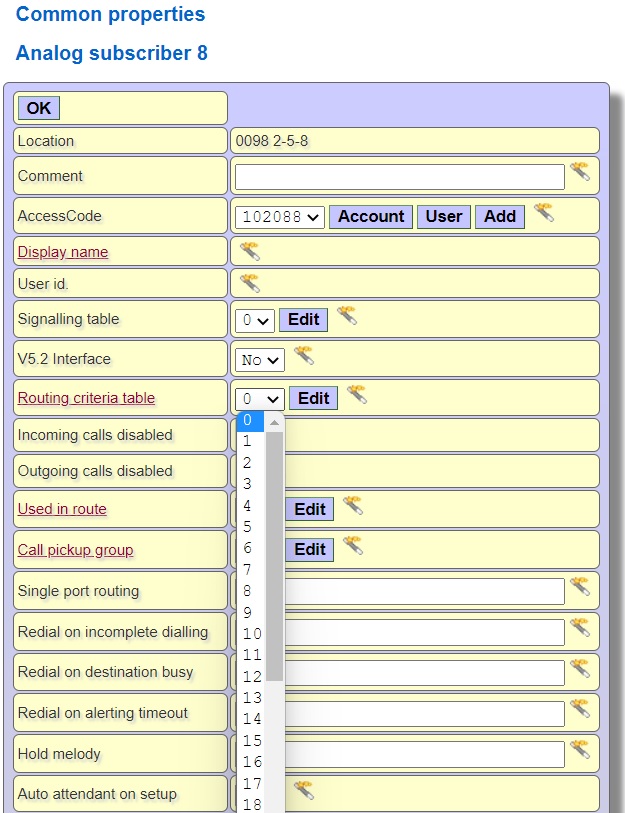 Assume that select routing criteria table 2 for this subscriber, press edit button of routing criteria table 2 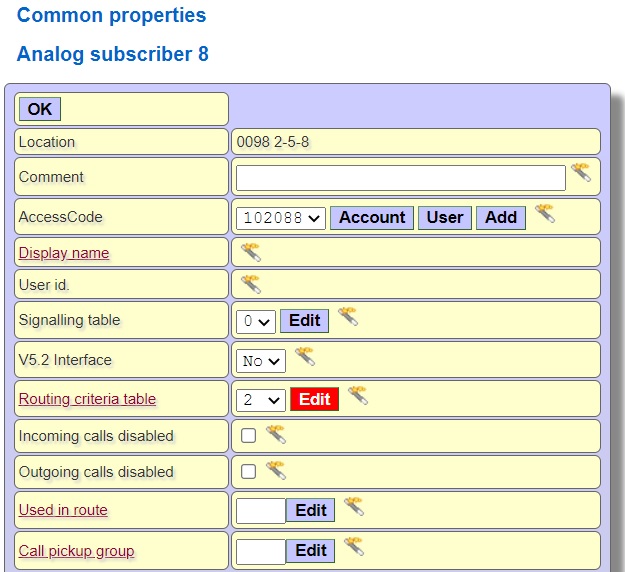 There is no prefix in routing criteria table 2, when the subscriber using this routing criteria table is dialed a digit, Xymphony uses the top law (overflow tone) since there is no conflict with any prefix. You can add new laws by adding a prefix to table 2, or you can copy table 0 to table 2 and change the law actions. To copy routing criteria table 0 to 2, click routing copy  Select source routing criteria table 0 and destination routing criteria table 2 and press OK button 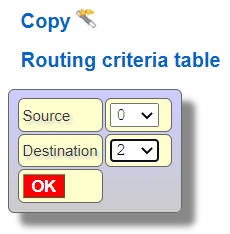 As we explained in the previous example (Method 2:Alternative routing), to use the trunk line using the prefix number 0 and route 1, select prefix 0 and click Edit button 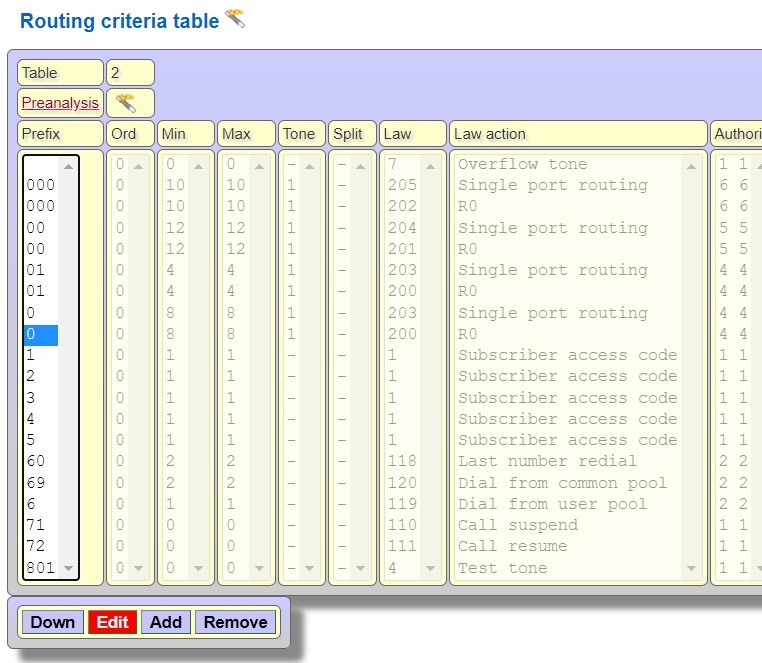 Click Unused button from the Number of used law 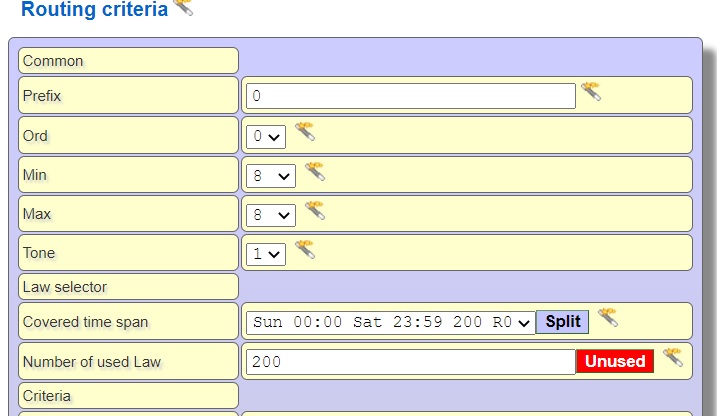 Arrange min and max digits, replacament digits etc which explained in Method 2:Alternative routing 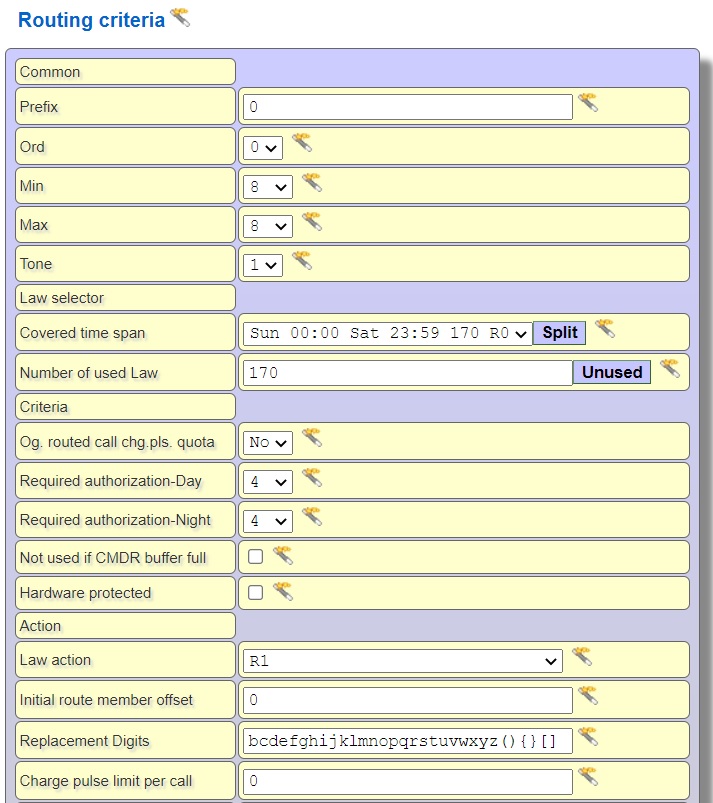 In this way, subscribers using the routing criteria table 2 are routed to the trunk lines in route 1 with 0 prefix. |