
|
|
XymphonyProgramming-AutoProvisioningMACAddressTelesis ip phones can use the auto provision feature to automatically register to Telesis exchange without enter the account name or password from the ip phone's menus. Add a SIP Subscriber-User, enter the Mac address of the ip phone into the Auto provisioning MAC adr text box. You can enter mac address like FF:FF:FF:FF:FF:FF or FFFFFFFFFFFF formats 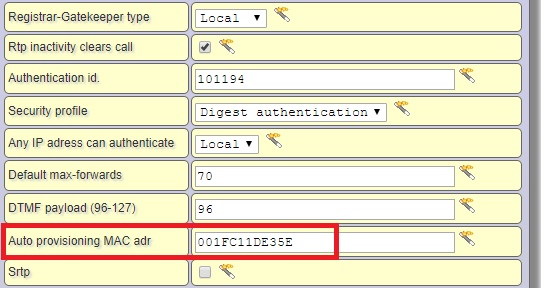 Start the ip phone with factory default settings, Ip set will automatically register to the system if it can locate with same LAN in exchange. If the ip set is outside the LAN, enter the ip address and port of the Telesis exchage from the auto provision menu press Save button and then press the Auto provision button. |