
|
|
XymphonyProgramming-StartingInServiceModeApplicable for Telesis systems having the hardware Service button. When is It Necessary?
then starting the Telesis system in service becomes necessary. When does file system Become Fully loaded? Please note that main reason is when auto voice (conversation) recording functions is activated but records are not archived in an external archiving device (like a PC running XTools or an FTP server). If voice records are not transmitted out to the archiving device, file system memories would be full with such records. First, try to free up the memories with connecting the Telesis system to the archiving device. If this operation fails for any reason, then it is necessary to start the Telesis system in service mode and clean up the file system manually. Links in Service Mode Page
If the Telesis system`s disk has one Xymphony image file, then the following service page opens. This page has the link 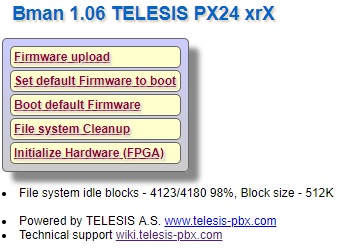 If the Telesis system`s disk has two Xymphony image files, then the following service page opens. This page has the link 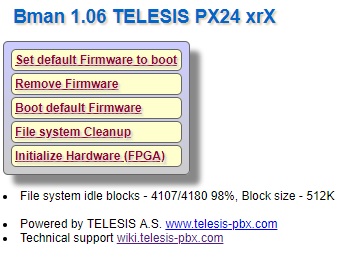 In addititon, the service mode page displays the current free space in non-volatile memories of the Telesis system. How to Start the Telesis System in Service mode? The service button may be on the front cover of the system or on the control and switching board. Check the system manual and locate the service button. To activate the service mode, the system is powered up with the service button pressed hold. Be aware that the service button must be hold pressed until the status led, which may be near the service button, blinks fast. When the status led blinks fast, the service button is released. The IP address of the system in service mode is the factory default address, which is AU member number and the port address is 80 (for example if member number of AU is 7, 10.0.0.7/xp.asp). The web server of the system waits for a web browser connection within 2 minutes in service mode. If there will be no connection in this period, the system starts up in normal operation mode. So that, connect to the system within 2 minutes with using a web browser (Internet Explorer, Mozilla Firefox, etc.) to access Home Page of the service mode. There is no login name or password for the service mode web browser connection. |